

Welcome to China! In 2026, hailing a taxi on the street is almost a thing of the past—ride-hailing apps are the mainstream way to get around. Among all apps, DiDi is the top choice, covering more than 400 cities, from big metropolises like Beijing, Shanghai and Guangzhou to small counties. This simple guide will help you use DiDi easily, even if you don’t speak Chinese.

Why Choose DiDi?
DiDi is the most foreigner-friendly ride-hailing app in China, with these key advantages:
- Supports international phone number registration—no Chinese phone number needed.
- Offers multiple car types: Express (economical), Premium (comfortable), and Taxi, with clear price tiers.
- Full English interface, and accepts international payment methods include Visa, MasterCard, JCB, Diners Club’ Credit/Debit Card, WeChat Pay, Alipay, Apple Pay, etc.
- Comprehensive safety features: ride sharing, emergency contacts, one-touch police call (direct to 110), and number protection—safe for solo travel.
- Built-in real-time bilingual translation for messages with drivers, and 24/7 English customer service.
Two Ways to Use DiDi
Choose the method that fits your phone storage and payment habits:
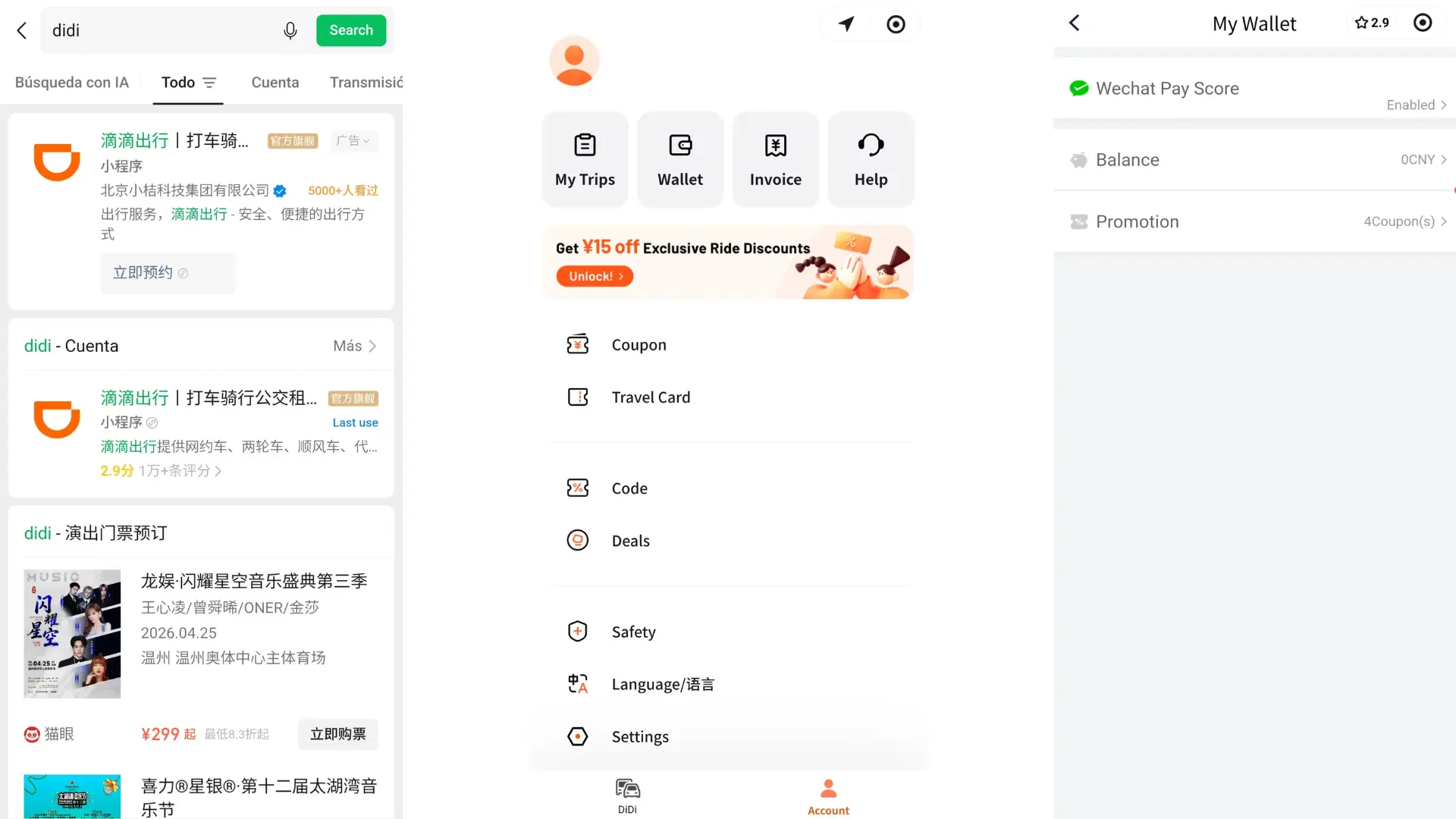
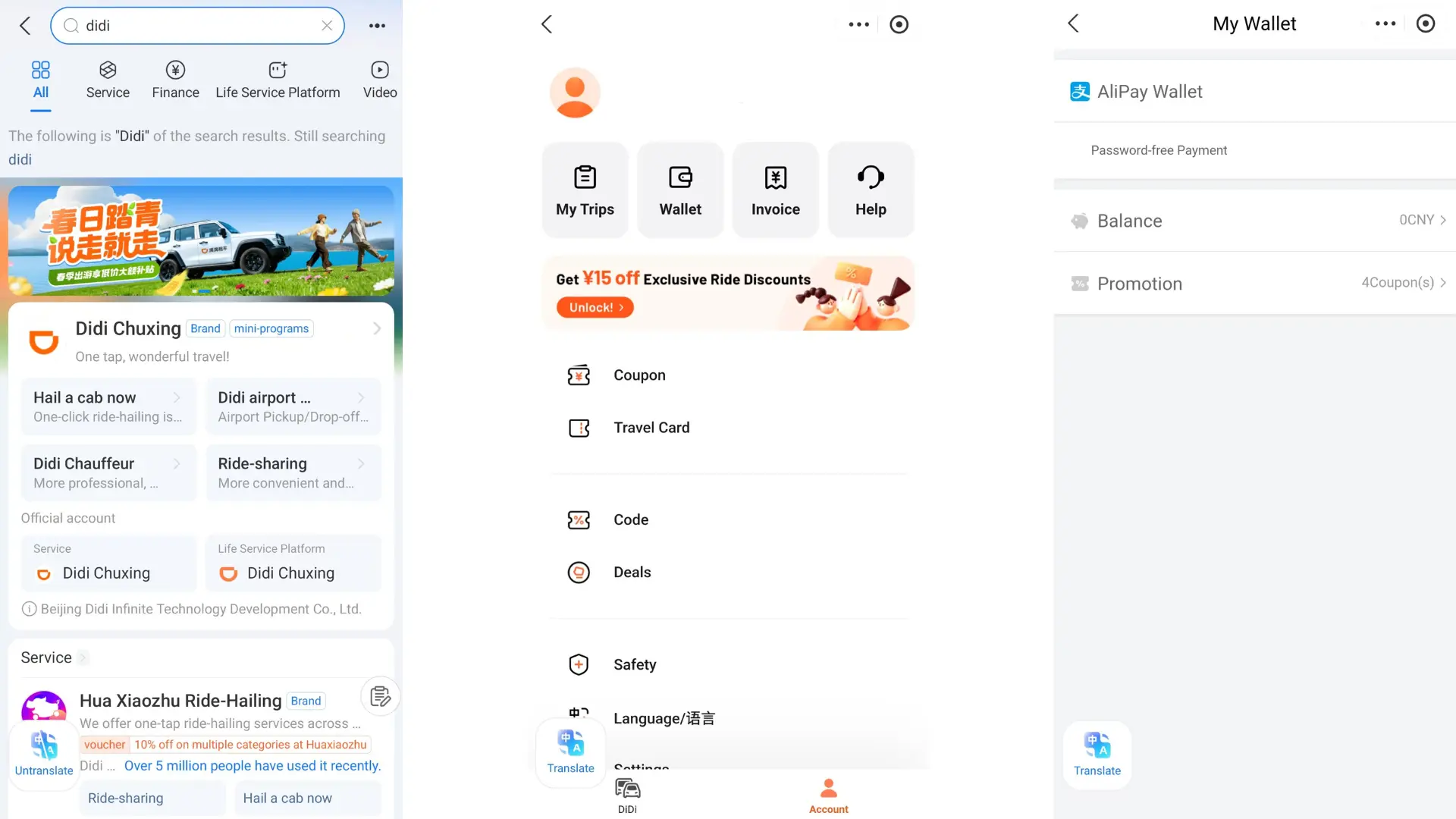
Method 1: WeChat/Alipay Mini Program
If you already have a WeChat or Alipay account (with real-name verification and a bound bank card), then you can directly search for and use the Didi mini-program.
- Pros: No need to download an extra app, saves phone storage, easy to operate.
- Cons: Limited payment methods—WeChat Mini Program only supports WeChat Pay, Alipay Mini Program only supports Alipay; international cards are not accepted.
Method 2: Download the DiDi App
The app offers a better user experience, supports more payment methods (including international cards), and has full features. It’s the best choice for first-time visitors to China.
Step-by-Step Guide to Using the DiDi App
Step 1: Download and Register
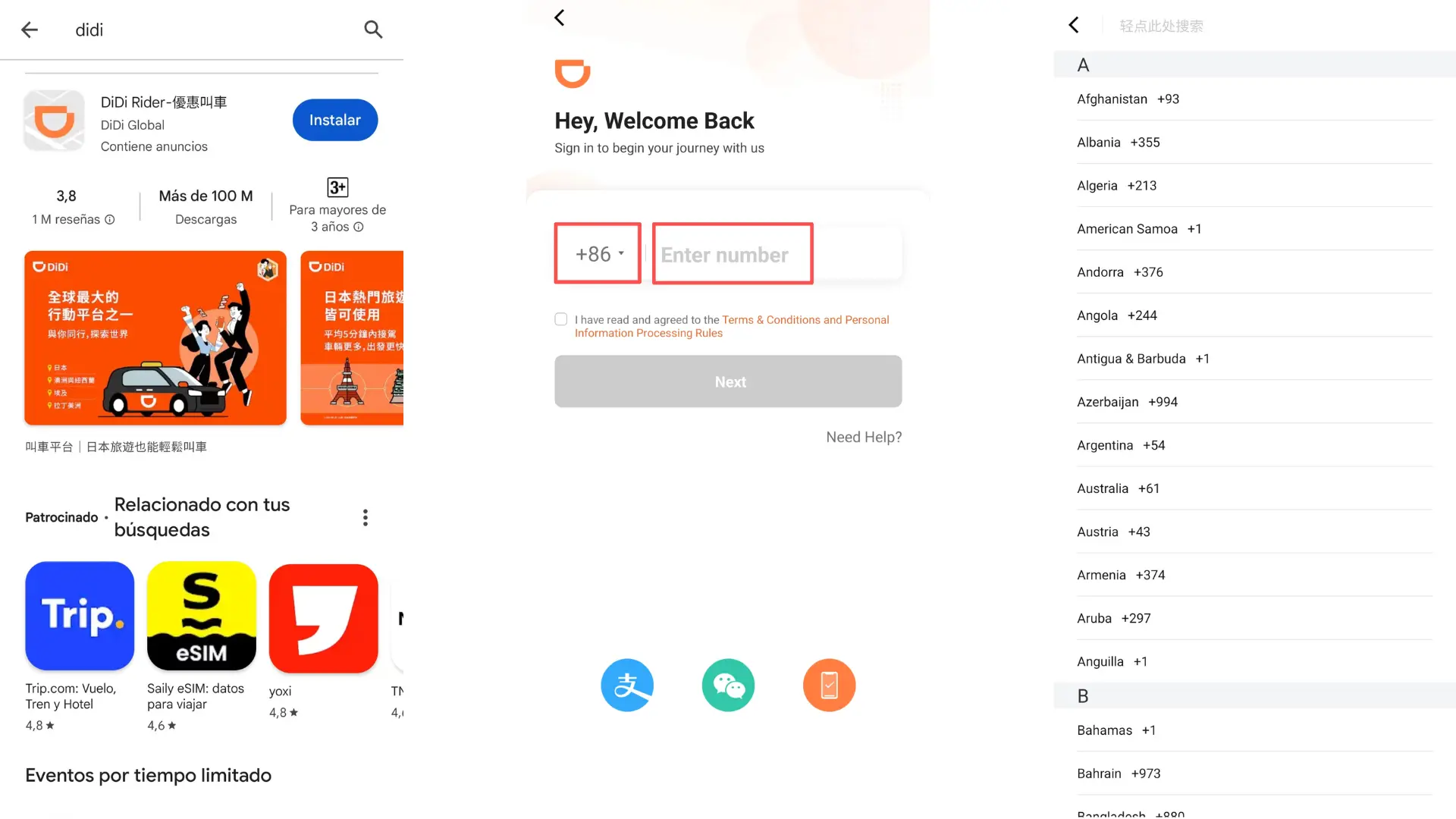
- Search for “DiDi” in your app store and download the official app.
- Tap “Account” at the bottom right to enter the login page. Select your country’s phone code, enter your phone number, and complete the verification code to finish registration.
Step 2: Set Up Payment Methods
Most DiDi car types only support online payment. Follow these steps to set up payment:
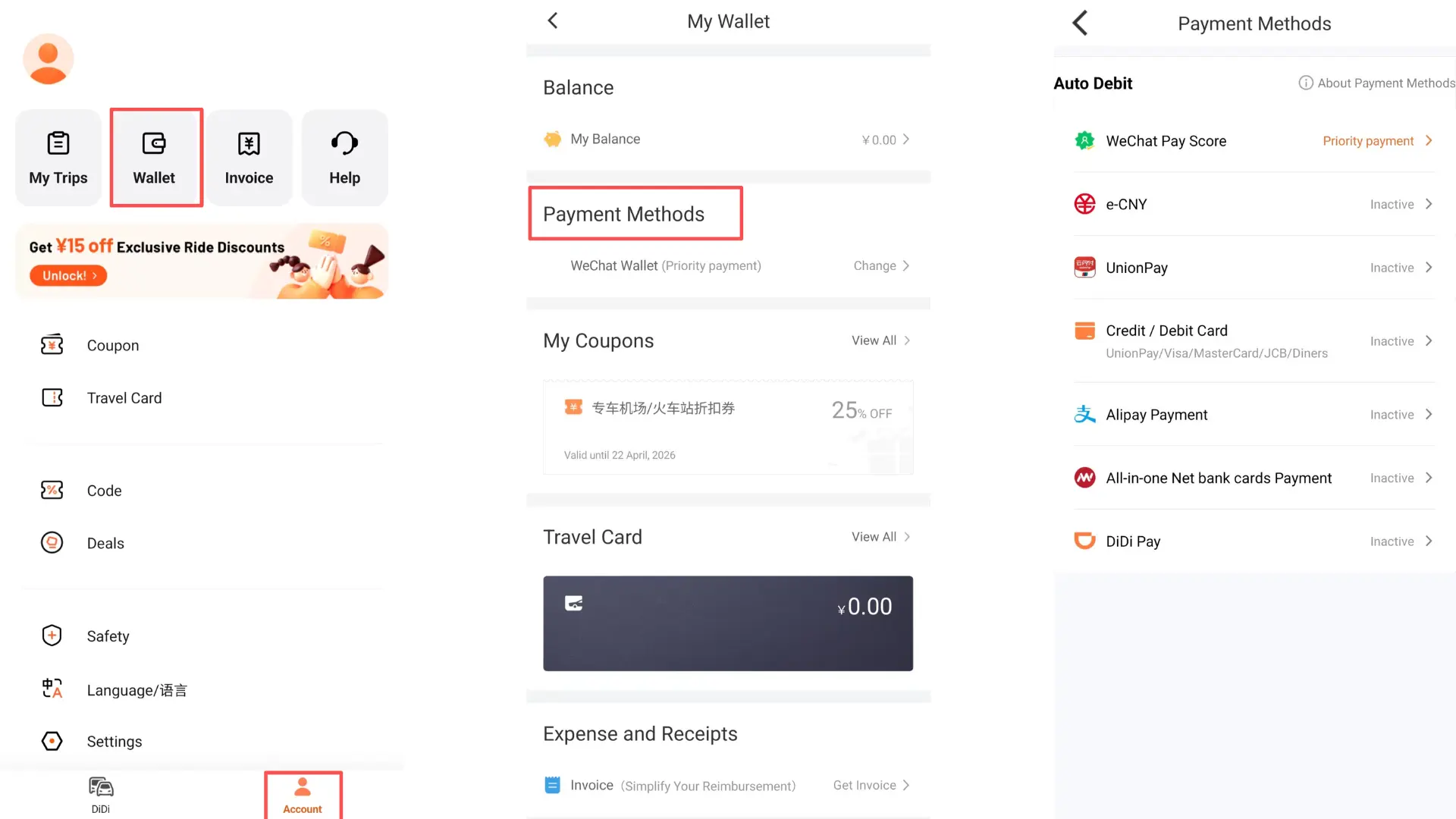
- Go to Account → Wallet → Payment Methods.
- Bind your preferred payment method. Supported options include:
- International credit/debit cards (Visa, MasterCard, JCB, Diners Club)
- WeChat Pay, Alipay, Apple Pay
- We recommend enabling Auto-Pay: The app will deduct the fare automatically after your ride, so you can get off and leave immediately. The maximum single Auto-Pay amount is 500 RMB, safe and convenient.
Step 3: Start Hailing a Ride
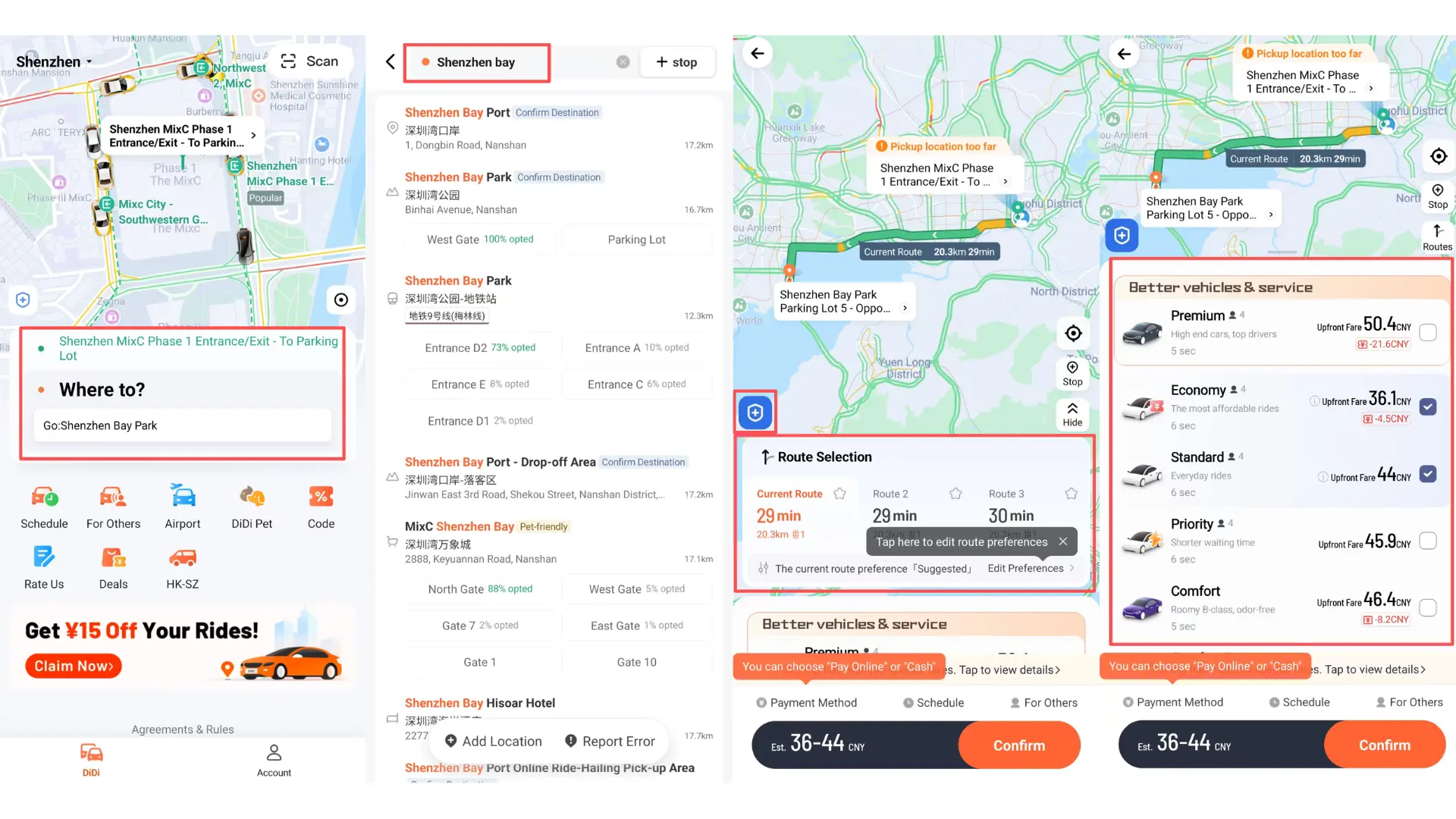
- Enable location services: The app will automatically locate your current position—no need to enter your starting point manually.
- Enter your destination: Type the address in the “Where to?” bar on the homepage, or copy the address from another map app. Compare it with the map in DiDi to confirm the correct location.
- Choose a pickup point: If the location is inaccurate, drag the pin on the map to select a safe, convenient spot near you for the driver to pick you up.
- Select a car type: Choose from Express, Premium, or Taxi based on your budget. Prices are displayed clearly, with an estimated fare shown in the app.
- Confirm and call: Tap “Confirm” to send your ride request. The system will match you with a driver in seconds.
- Wait for your ride: After matching, you can see the driver’s car type, license plate number, and real-time distance. It’s recommended to hail a ride 5-10 minutes in advance to prepare.
- Communication tip: The in-app chat has real-time bilingual translation—no need to worry about language barriers. Show the last 4 digits of your phone number to the driver when getting in, to help them confirm your identity.
- Arrive and exit: When you reach your destination, you can get off directly. Auto-Pay will deduct the fare automatically, or you can pay manually later.
Step 4: Safety and Fare Tips
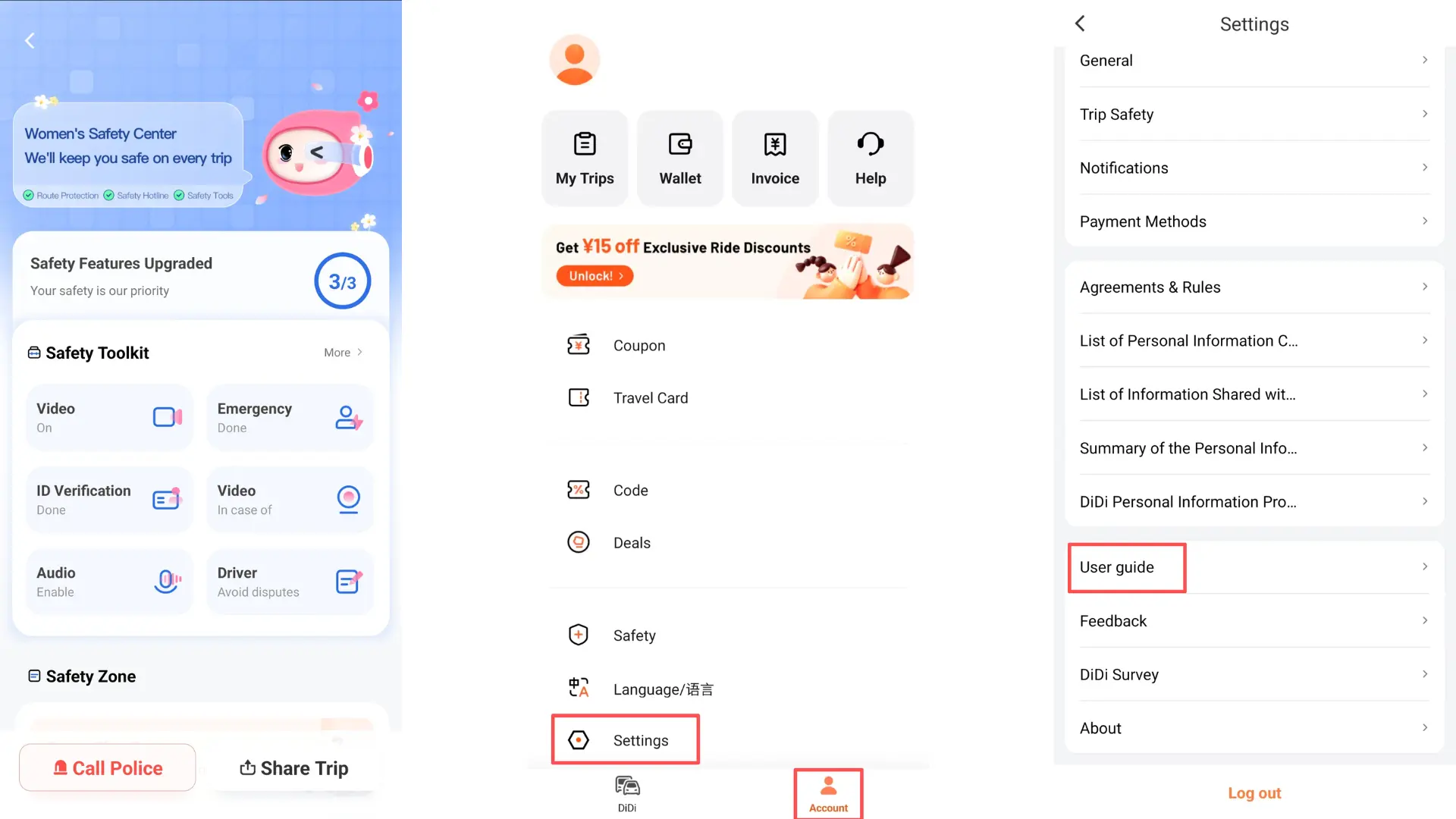
• Safety features: During your ride you can share your trip with friends, set emergency contacts, or make a one-touch police call.
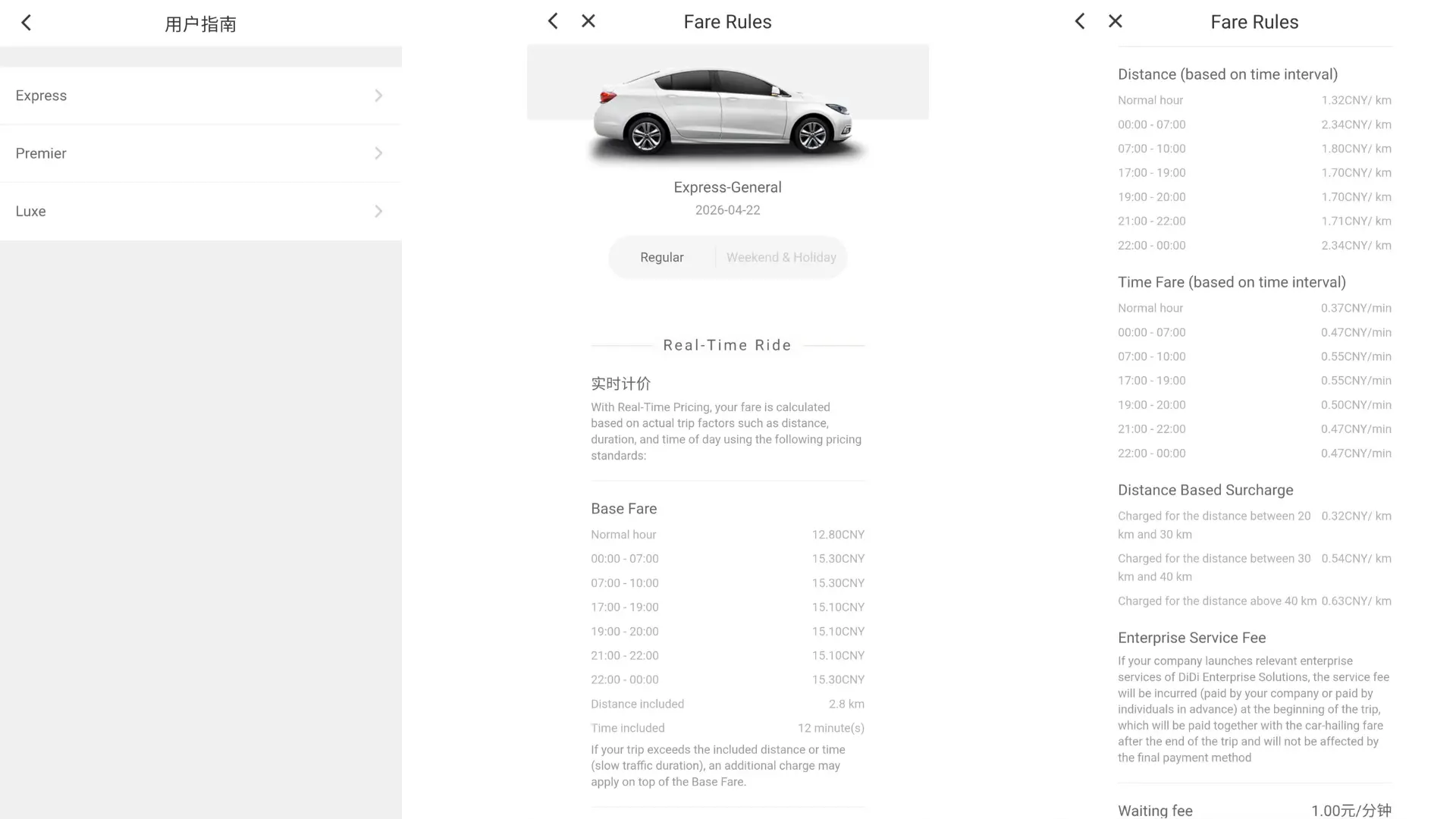
• Check fare rules: Go to Account → Settings → User Guide to view the starting fare and surcharge rules for different car types.
What to Do If You Have Problems?
The app has 24/7 English customer service. Go to Account →Help to contact a representative for help with ride failures, payment issues, or trip disputes.
With this guide, you can use DiDi easily throughout your trip in China—no Chinese needed, just smooth and convenient rides!